
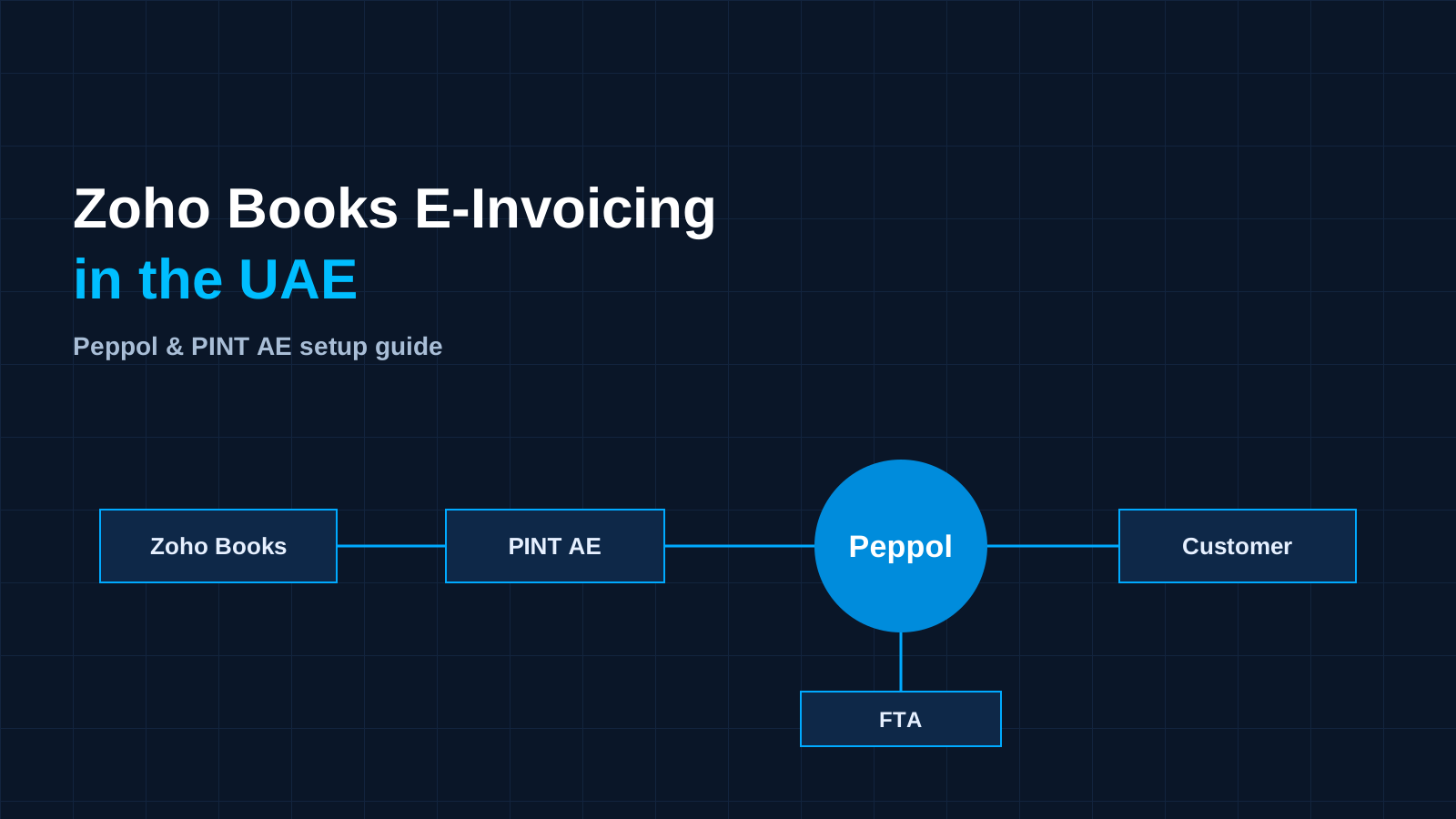
If your business already runs its accounts on Zoho Books, UAE e-invoicing does not have to mean a new system. Zoho Books can create invoices in the UAE's PINT AE format and send them over the Peppol network, and Zoho itself is listed as an accredited e-invoicing service provider (ASP) recognised by the UAE Ministry of Finance.
That makes Zoho Books e-invoicing in the UAE one of the simpler routes to compliance, but only if your data and settings are ready. This guide explains how it works, the setup steps, what to check before go-live, and the mistakes we see most often.
For the full timeline, read our guide to UAE e-invoicing 2027 deadlines and phases.
The deadlines that matter for Zoho Books users
- Phase 1, annual revenue of AED 50 million or more: appoint an ASP by 30 October 2026, go live on 1 January 2027.
- Phase 2, other businesses in scope: appoint an ASP by 31 March 2027, go live on 1 July 2027.
- Government entities: go live on 1 October 2027.
The voluntary pilot started on 1 July 2026. If you are in Phase 1 and have not yet appointed an ASP, act now: go-live is less than two months away.
How Zoho Books e-invoicing works in the UAE
The UAE uses a Peppol-based five-corner model. In plain terms:
- You raise an invoice in Zoho Books as usual.
- Zoho Books converts it to a PINT AE XML invoice and validates it.
- As your ASP, Zoho sends it over the Peppol network to your customer's ASP.
- Your customer's ASP delivers it to their system.
- The invoice data is reported to the Federal Tax Authority (FTA).
Because Zoho is an accredited ASP, Zoho Books users do not need to appoint a different provider. Zoho's own UAE e-invoicing page answers this directly: if you already use Zoho Books, you do not need a separate ASP. You can still choose another accredited provider if that suits your group better, but for most Zoho Books users the built-in route is the simplest.
Zoho Books e-invoicing also covers the other side of the mandate. You can fetch e-invoices from your suppliers directly into Zoho Books, and you can create and send compliant credit notes through the same network.
Step-by-step: setting up e-invoicing in Zoho Books
Zoho describes the setup in three main steps. Here is each one, with the checks we add when we do it for clients.
Step 1: Configure your Tax IDs in Zoho Books
In Zoho Books, open the e-invoicing settings and enter your organisation's required Tax IDs. Before you do:
- Confirm your TRN and legal name exactly match your FTA registration.
- Check your organisation address and emirate are complete.
- If you have more than one legal entity, set up each Zoho Books organisation separately.
Step 2: Select Zoho as your ASP in EmaraTax
Log in to the FTA's EmaraTax portal and select Zoho Software Trading LLC as your accredited service provider. This is the formal appointment. For Phase 1 businesses, this is the step that the 30 October 2026 deadline applied to.
Keep a record of the date and a screenshot of the confirmation for your files.
Step 3: Complete the e-invoicing setup and connect to Peppol
Back in Zoho Books, finish the e-invoicing setup to connect your organisation to the Peppol network. Once connected, Zoho Books can generate the invoice identifiers (UUIDs) and send e-invoices to your customers.
Clean your data before you send a single invoice
Most rejected e-invoices are caused by master data, not software. Before go-live, check:
| Area | What to check |
|---|---|
| Customers | TRN present and valid for every VAT-registered customer, full legal name and address |
| Suppliers | TRN and legal details correct, so incoming e-invoices match the right vendor |
| Items and services | Each one mapped to the right VAT treatment: standard-rated, zero-rated, exempt or reverse charge |
| Invoice templates | Mandatory fields present and nothing hard-coded that will break validation |
| Credit notes | Linked to the original invoice they correct |
A quick way to find problems is to export your customer list and sort it by TRN. Blank or short TRNs show up immediately.
Test before go-live
Run test invoices from start to finish with real customers, items and tax codes. We recommend two rounds:
- Setup test: the finance lead sends a small set of invoices and credit notes covering each VAT treatment you use.
- User test: the people who raise invoices day to day run a normal week through the system, including corrections.
Check how Zoho Books shows a rejected invoice, who is notified, and how long it takes your team to fix and resend it. That process matters more on day one than any setting.
What Zoho Books e-invoicing costs
According to Zoho's UAE e-invoicing page, the first 100 e-invoicing transactions are free on Professional and higher paid plans of Zoho Books UAE. After that, you buy non-recurring transaction packs, starting at AED 41 for 100 transactions. Check the current price and which transactions count against your packs with Zoho before you budget, as pricing can change.
To estimate your yearly volume, add up the sales invoices and credit notes you issue and the supplier e-invoices you receive.
Common mistakes we see
- Running the global edition. Zoho's sign-up form notes that the global version of Zoho Books must be evaluated for local compliance. Make sure your organisation is on Zoho Books UAE.
- Appointing in EmaraTax but not finishing the Zoho Books setup. Both steps are needed before you can send.
- Ignoring incoming invoices. Suppliers will start sending e-invoices too. Decide who reviews them and how they are matched to purchase orders.
- Leaving data clean-up to the last week. Fixing hundreds of customer records takes time. Start now.
- Custom templates that drop fields. Heavily customised invoice templates should be retested after e-invoicing is switched on.
Zoho Books or another ASP?
If Zoho Books is your main accounting system, using Zoho as your ASP keeps everything in one place, with no extra connector to maintain. Consider a separate ASP if your group runs several ERPs and wants one provider for all of them, or if you have very high invoice volumes and want to compare pricing. Our 10-point checklist for choosing e-invoicing software in the UAE covers the questions to ask.
How NVS Technologies helps Zoho Books users
NVS Technologies is a Dubai-based Zoho and Odoo implementation partner. For Zoho Books e-invoicing in the UAE, we:
- review your Zoho Books organisation, edition and invoice templates
- clean customer, supplier and item data that causes rejections
- map your VAT treatments and set up e-invoicing in Zoho Books
- guide you through the EmaraTax ASP appointment
- run both rounds of testing with your finance team and train users
See our e-invoicing software service for UAE businesses and Zoho ERP implementation pages, or get a quote for a Zoho Books e-invoicing readiness review.